
• Tutorials
    • Forms, Navigation
    • Forms, Popup and Context Menus
    • Forms, Color of Fields
    • Forms, Changing the Font
    • Forms, Customizing
    • Forms, Printing Reports
    • Forms, Send Email
    • Forms, Help
    • Grids, Navigation
    • Grids, Scrollbars
    • Grids, Functions
    • Grids, Functions, Refresh
    • Grids, Functions, New Wizard
    • Grids, Incremental Search
    • Grids, Selecting Multiple Records
    • Grids, Find and Find Next
    • Grids, Filters
      • Filters, Creating a New
      • Filters, Getting Fancy
      • Filters, Saving and Reusing
      • Filters, Default Filters
    • Grids, Printing Reports
    • Grids, Customizing
    • Menus, Shortcut Keys
    • Forms, Form Letters
      • How to print a Form Letter, Richtext
      • How to print a Form Letter, PDF
      • How to create your own Form Letter
  • Webinars
  • Training
    • Windows XL Training
    • Mobile Delivery
  • What’s New
  • Follow us on Twitter

TeamDME! XL Help

  • System
    • Company
    • Postal Codes
    • Task
    • User Security
    • Dashboard
    • Report Designer
  • Inventory
    • Item
    • Item Category
    • Item Department
    • Item Manufacturer
    • Item Location
    • Tracked Item
    • Activity
      • Physical Count
      • Item Adjustment Edit
      • Service Transaction Edit
      • Item Transfer Edit
    • Reports
  • Orders
    • Diagnosis Code
    • HCPCS Procedure Code, Edit
    • HCPCS Procedure Modifier
    • HCPCS Coverage Criteria List
    • HCPCS Fee Schedule
    • Physician
    • Payor
    • Therapist
    • Facility
    • Quote
    • Medical Order
    • Point-of-Sale
    • Recurring
    • Claim Pending
    • Claim History
    • Reports
  • Receivable
    • Customer
    • Salesperson
    • Referral
    • Nonallowed Reason
    • Responsible Reason
    • Adjustment Reason
    • Payment Type
    • Payment
    • Reports
      • Aged Receivable Reports
      • Revenue Reports
      • Audit Reports
      • Finance Fee
      • Customer Statement
      • Collection Letter
  • Purchase Orders
    • Purchase Order
    • Purchase History
  • Payables
    • Vendor
    • Unposted Invoice
    • Unpaid Invoice
    • Reports
      • Aged Payable
      • Open Payable
      • Cash Requirements
      • IRS 1099 Forms
  • Ledger
    • Chart of Account
    • Journal Unposted
    • Journal History
    • Bank Register
    • Reports
      • Balance Sheet
      • Income Statement
      • Trial Balance
  • Windows
You are here: Home / Miscellaneous / Webinars, Recorded / Windows XL Training
«« Webinars, by TopicNewsletter Subscription »»

Windows XL Training

We see lots of HME companies in our travels. One truism we find is a client whose staff are the most productive and quite simply the happiest are those well-trained.

We are taking the same training we provide in two days onsite and repackaged it in a two-week, one-hour daily Webinar.

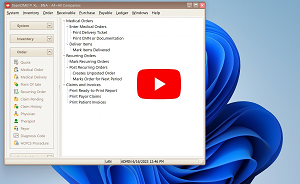
Note: Click the YouTube button to display in YouTube in a larger size and give you playback options.

The curriculum covers:

Day 1, Foundational Concepts; Forms, Grids, Physicians & Payors
Note: Attendance is strongly encouraged; this session lays the foundation for all future sessions.
Day 2, How to enter Items

Day 3, How to enter Coverage Criteria

Day 4, How to enter Customers. (Note: Technical issues from minutes 41-46)

Day 5, How to enter Medical Orders, Print Tickets/Authorization Documents; Part 1

Day 6, How to enter Medical Orders; Part 2

Day 7, How to print Billing by Paper Claims or Electronic Claims.

Day 8, How to enter Payment by Account, by EOB, and by Individual Payment;

Day 9, How to use the Receivable and Revenue Reports.

Day 10, How to enter Pickups, and Open Q&A, and Wrapup Session

Day 11, How to use Purchase Orders

Day 12, How to use Payable Invoices

Day 13, How to use General Ledger

Day 14, How to use Point-Of-Sale

Who should attend: Everyone! As the Business Owner/Manager, there are things you need to be aware of, so you can make informed decisions about everything your system can do. As the Billing Administrator, you need an overall view, to set up the most productive environment for your staff. As a user, you need to know how to get your many jobs done as efficiently as possible.


«« Webinars, by TopicNewsletter Subscription »»

Tell us what you think. Cancel reply

You must be logged in to post a comment.

RETURN TO TOP

Copyright 2014-2026 · TeamDME!, Inc. · All Rights Reserved · Log in