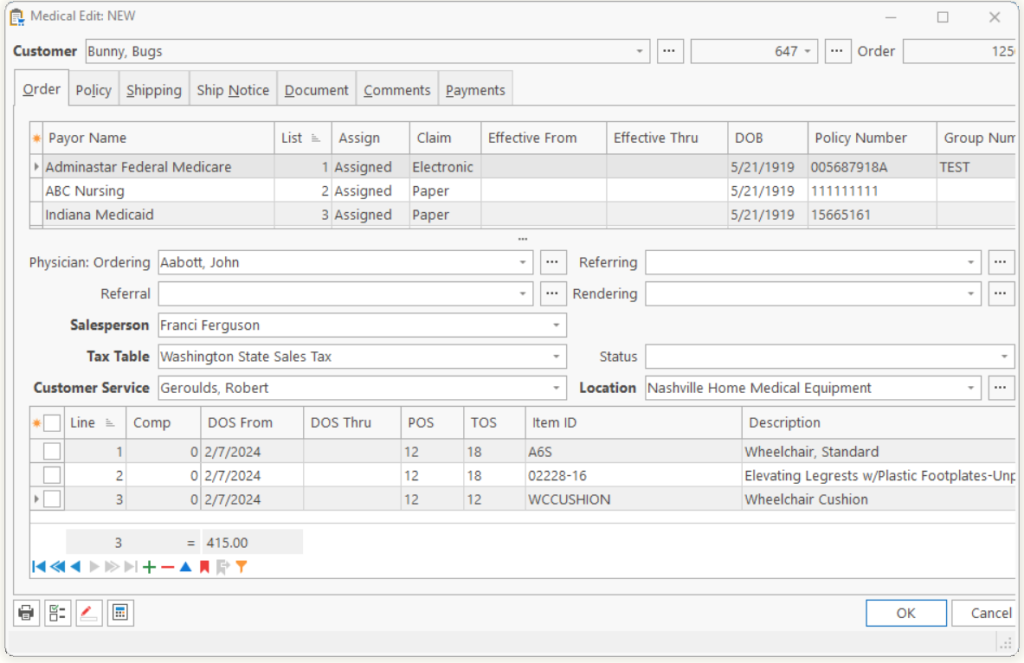
| Customer | The patient’s name and number. |
| Order | Number that is used to reference this Order. This number is generated by TeamDME and cannot be modified. |
|
Dropdown a menu of forms and documents to print. |
|
| Intellicheck |
Click to show Warnings, Errors and Critical errors on the Order and all Line Items. |
| Mark |
Marks the items shipped complete. |
| Order Calculator |
Pushing giving Submitted, Gross Charges, Cost-of-Goods, Profit on this claim. |
| Intake Form | Click to select and print an Intake form. Once you choose an Intake form, the system adds a new line item to the Order with a description of the Intake form. Example: “Intake: Oxygen Stationary” |
| Delivery/Pickup Ticket | Prints a Delivery Ticket. |
| Authorization Document | Prints the Authorization Document which has been attached via the Tie. If you are on the first line item, the system will print the Authorization Document for each line item. The system will also add a comment for each Authorization Document printed. |
| Cover Letter | Prints the standard Cover Letter for the Physician. |
| Advance Beneficiary Notice (ABN) | Prints the Advanced Beneficiary Notice. |
| Check Patient Eligibility | Checks Patient Eligibility for the selected date. |
| Create Purchase Order | Creates one or more Purchase Orders for the line items. |
Tell us what you think.
You must be logged in to post a comment.